 Reclaim Pay.
Expense claims, paid to PayPal
in seconds when it’s safe.
An AI agent checks each claim against your policy. Clean, low-risk claims go straight to the employee’s PayPal account in seconds. Everything else goes to HR with the evidence attached.
Automation where it’s safe, judgment where it matters.
Every claim gets the same slow, manual check.
A MYR 15 lunch and a MYR 8,000 trip go through the same loop: open the attachment, read the amounts, find the rule in a policy PDF, write a reply.
More staff, same process
Claims grow with headcount, but each one is still checked by hand, one policy lookup at a time.
Manual review burden
HR spends hours re-typing receipt amounts and looking up rules instead of on the cases that need judgment.
Inconsistent decisions
Two reviewers can read the same policy and reach different answers on the same claim.
Slow, unclear turnaround
Employees wait to get paid and chase HR for updates. HR chases employees for missing receipts.
Four steps from receipt to payout.
The AI reads and checks. Fixed rules decide whether money moves. A person decides anything risky.
Snap the receipt
Up to 10 receipts per claim
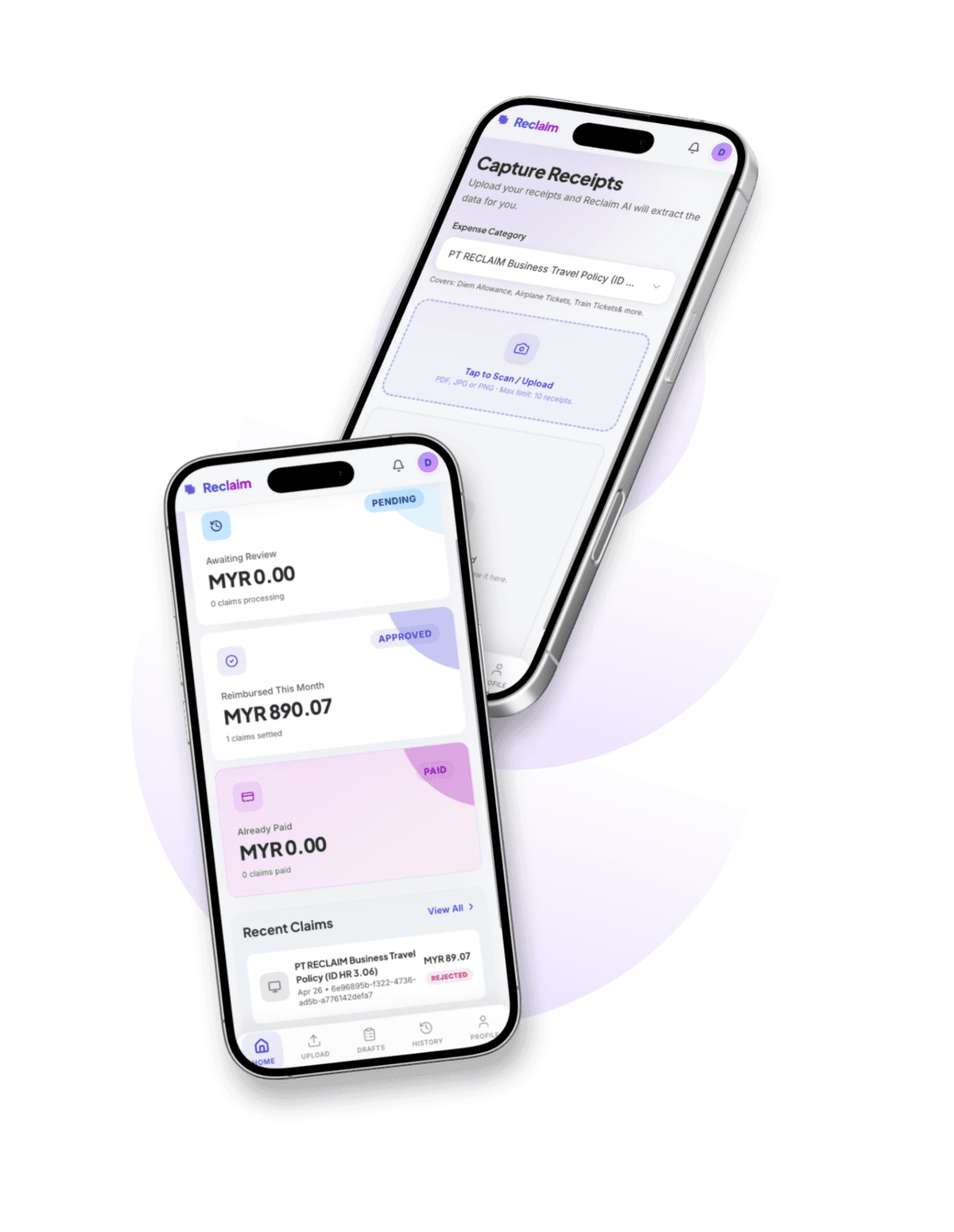
The employee uploads photos or PDFs. AI reads the merchant, date, amount and category, and the employee checks the result.
- JPEG, PNG or PDF
- Every edit to an AI-read field is logged
AI checks it against policy
Your policy, not a generic rulebook
HR uploads the company policy once. The agent checks each receipt against its categories, caps and required conditions, and looks for signs of a fake receipt.
- Eligible categories
- Spending caps
- Required conditions
Guardrails decide
Fixed rules, separate from the AI
Each claim gets a risk score. Clean, low-risk claims inside every limit are cleared to pay. Anything risky goes to HR, and the riskiest need two HR approvals.
- Auto-pay
- Quick HR approval
- HR review
- Two-person review
PayPal pays
Sent with PayPal Payouts
Approved claims are paid to the employee's verified PayPal account in seconds. Each payout is sent once and recorded in the log.
- Verified PayPal accounts only
- No payout is sent twice
- Every payout in a tamper-evident log
Built around accountability.
Reclaim Pay pays the easy claims and hands the hard ones to people. Every flag comes with a reason HR can read.
Receipt Shield
Every receipt is checked for signs it was faked or reused before any money moves. A hit sends the claim to HR, never straight to a rejection.
- Hidden instructions written into the receipt
- Duplicates of an earlier claim
- AI-generated images
- Totals that don't add up
- One expense split into smaller claims
The Fraud Trap
Every employee edit to an AI-read field is logged with a risk level. HR sees the AI value and the submitted value side by side.
Claims sorted for HR
Claims that need a person arrive sorted by risk, with the reasons and the evidence attached. HR starts with the riskiest.
Fair by design
The AI never rejects a claim on its own. A person makes every risky call, and employees get a dispute window before any money is recovered.
Bounded by design.
The agent moves money only inside limits the company sets. These controls are fixed rules, separate from the AI.
Verified PayPal accounts
Money goes only to a PayPal account the employee connected and verified.
72-hour pause after a change
When an employee changes their PayPal account, automatic payouts to them stop for 72 hours. HR can still approve by hand.
Spending limits
Each employee has a payout limit, plus daily and monthly caps and a company daily budget. Anything over a limit waits for HR.
Two-person approval
The riskiest claims need approval from two different HR members before any money moves.
Circuit breaker and kill switch
Automatic payouts pause on their own if too many recent claims look risky. HR can also switch them off at once.
Tamper-evident log
Every agent action is written to a chained log, so a later edit to the record shows.
Built for both sides of the desk.
For HR teams
Set the policy, then decide the claims that need a person.
- Policy Studio: upload, edit and review company policy
- Risky claims arrive sorted, with the evidence attached
- Clean, low-risk claims are paid without waiting on you
- A full audit trail for every claim and payout
For employees
Submit claims, check what the AI read, and get paid to PayPal.
- Upload up to 10 receipts (JPEG, PNG, PDF) per claim
- Check what the AI read, and fix it if it's wrong
- Clean claims are paid to your PayPal account in seconds
- Live claim status, so you don't have to chase HR
One click. You’re inside.
Pick a role and we’ll sign you in with sample data. No setup and no typing. The credentials are below if you’d rather copy them.
HR Demo
Review risky claims with the evidence, and track every payout.
›Or copy credentials
Employee Demo
Submit a multi-receipt claim, check what the AI read, and watch it get decided.
›Or copy credentials
These accounts are seeded by seed_demo_employees.py for hackathon evaluation only and are reset on every container rebuild.
Built with
- PayPal Payouts
- Log in with PayPal
- PayPal Invoicing
- Next.js
- FastAPI
- LangGraph
- PostgreSQL + pgvector
- AG Grid